Motion Icon Pack
£9 once
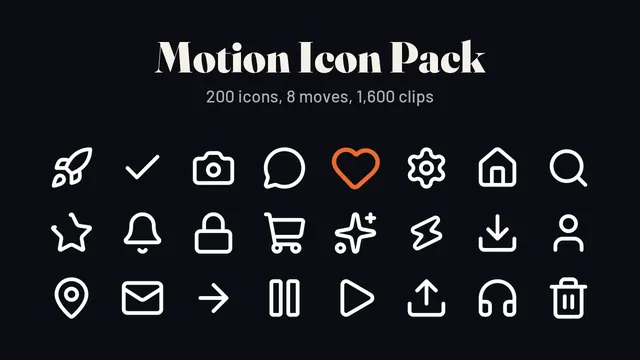
Using a free editor? These animated icons drop straight onto your timeline, white on a see-through background.

by OpenMontageInc
OpenMontage is a video production system that works through an AI coding assistant. You describe the video you want in plain language, and the assistant handles research, scripting, asset generation, editing and final rendering.
Proof level: ReadWorth a lookAGPL-3.0
Proof level: Read. We read its README and licence and ran our automatic checks. We have not run it yet. So this page is based on its README and our automatic checks.
Check this first: AGPL-3.0 licence has obligations if you offer it as a network service.
Free to use. Anything you distribute that includes it must be open-sourced under the same licence. Running it as an online service also counts, so a hosted version must offer its source.
Not legal advice. Read the project's licence file before building a product on it.
One answer per person for each tool a day, with no account and no cookies. Your answer is remembered in this browser only. How we count
It is a Python project that you clone and use through an AI coding assistant such as Claude Code, Cursor or Copilot, with FFmpeg and optional provider API keys; the README excerpt does not show the exact steps.
Follow the official instructions in the project README.
Made and sold by us, and labelled so you know. Each one has a free version to try first.
£9 once
Using a free editor? These animated icons drop straight onto your timeline, white on a see-through background.
£12 once
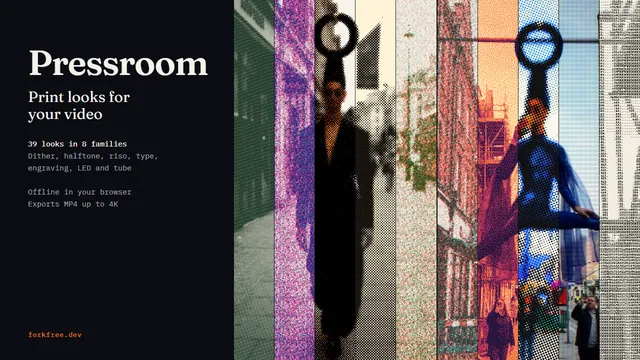
Want a dither, halftone or riso look your editor does not have? Make it in your browser and export an MP4 for any editor.
A freelancer could offer short-form video production, such as product films or explainers, to local businesses, using the tool to cut production time.
An idea, not financial advice. Check the licence before charging for anything built on it.
Checked 10 Nov 2026. Summary drafted by AI from the project's README. Proof level 1 of 4, Read: we read its readme and licence and ran our automatic checks. we have not run it yet.
VoiceStudio is a desktop, mobile and Docker app that runs speech tools on your own device. It clones and designs voices, dubs videos, transcribes and dictates speech, and turns text into audiobooks in many languages.
Instead of ElevenLabsUp to $72 a year
HyperFrames is an open-source framework that turns HTML, CSS, media and animations into MP4 videos. It is designed so AI coding agents, or people using a command line, can write a page and render it as a video.
Instead of Remotion
Lemo-Opuscar is a tool for creating films using code, offering 59 pre-made styles or the ability to create your own. It is designed for use with Claude Opus 5.5 and can be installed as a plugin or cloned from GitHub.
Instead of Adobe Spark Video