Duebook, made and sold by ForkFree
Stop paying every month just to send invoices
Duebook makes, numbers, chases and tracks your invoices and quotes. No account, no internet needed. Your invoices are saved in a file on your computer that you own, back up and move like any document.
£19 once Free updates for life. No subscription.
£19, plus VAT where your country charges it (UK total £22.80). Businesses with a VAT number pay £19. Checkout opens on this page, run by Gumroad, and you download Duebook straight after paying.
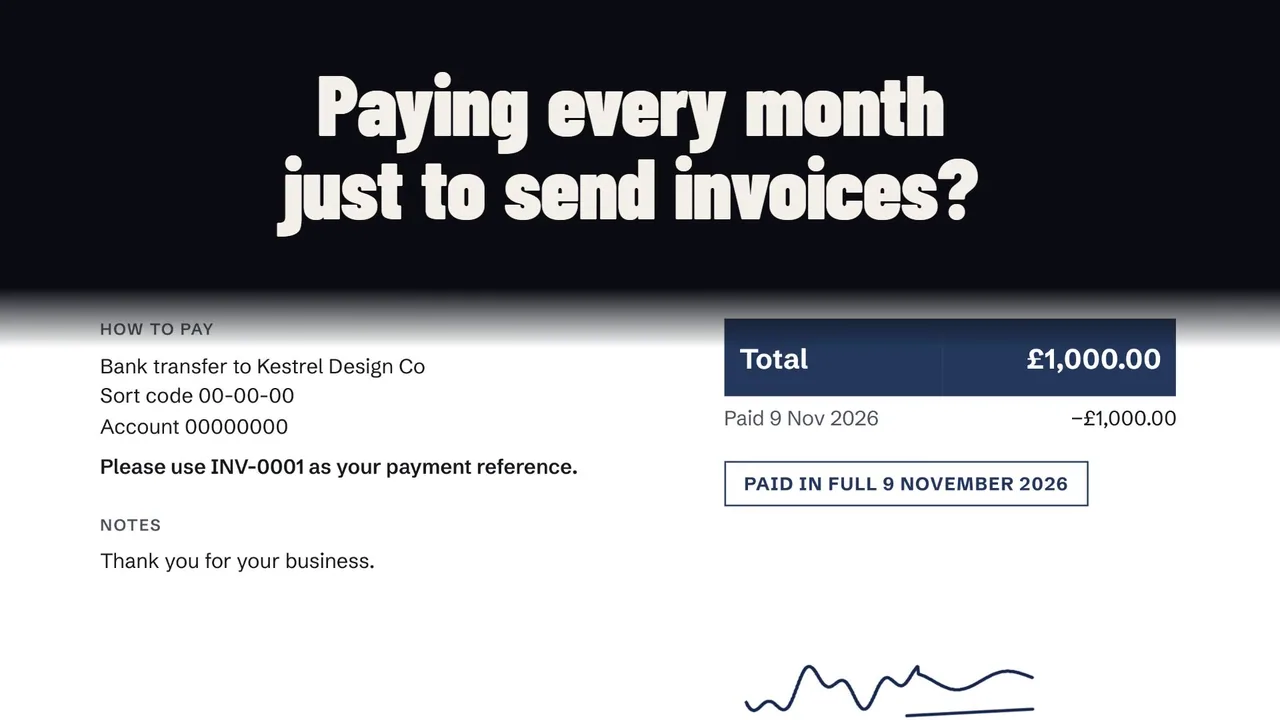 Watch Duebook at work, one minute with sound
A look at the real app
Every picture here is Duebook 1.2 on a laptop, with made-up clients.
-
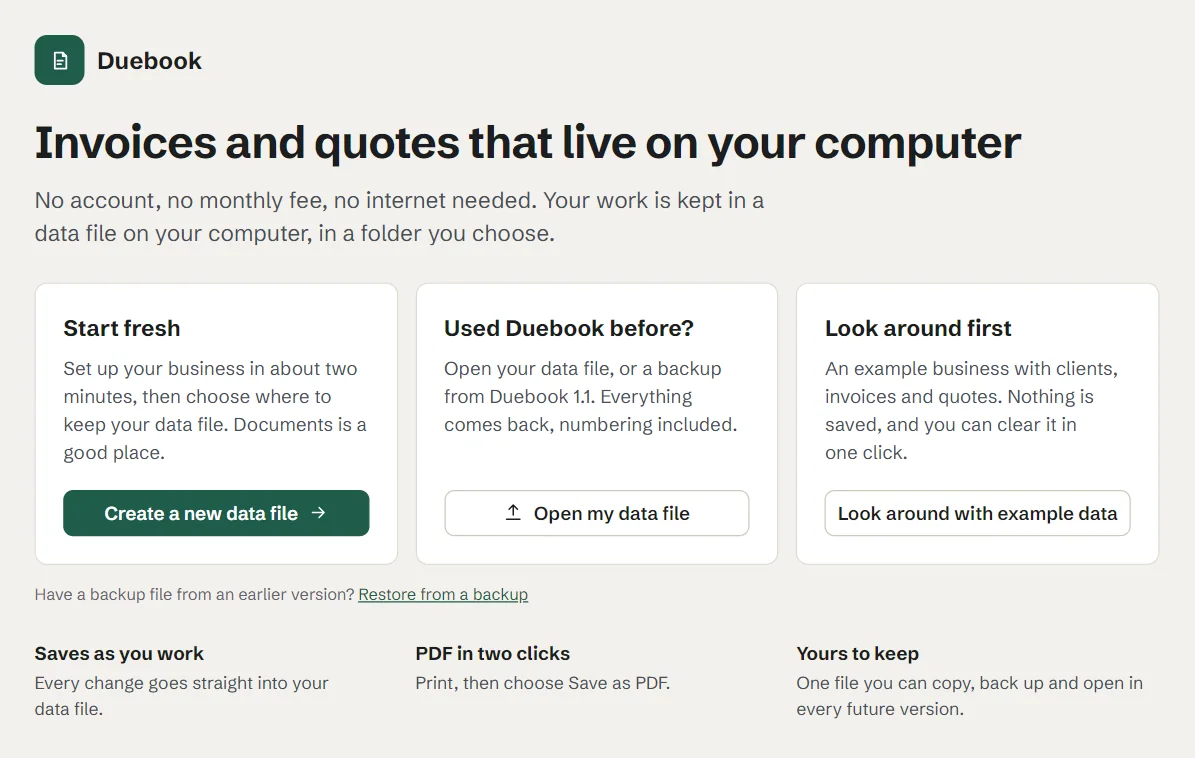
Start with your own data file
Create a data file in a folder you choose, open the one you already have, or look around with example data first.
-
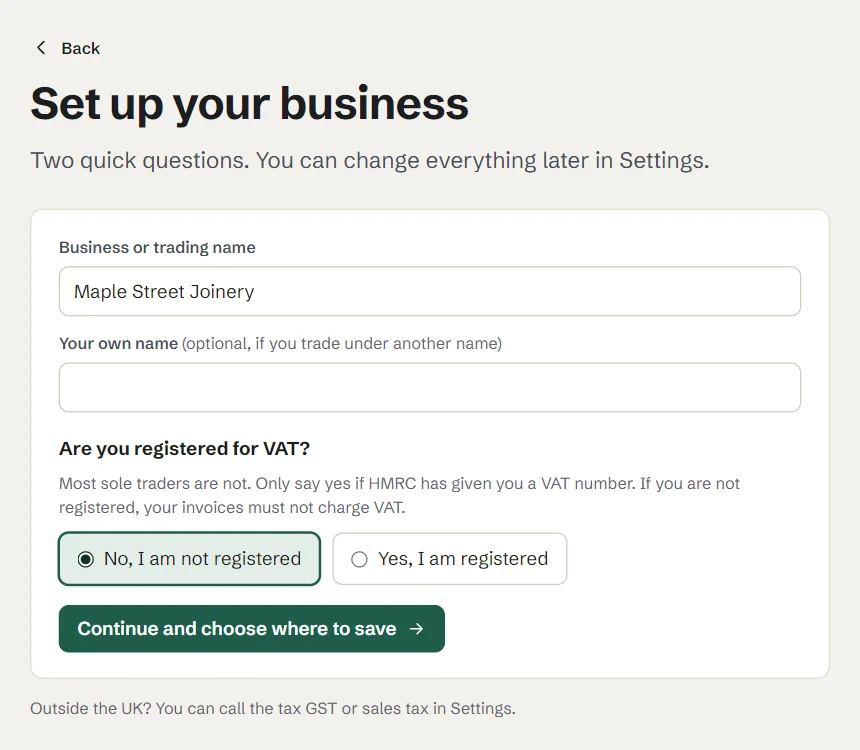
Set up in a minute
Your business name and whether you are VAT registered. Most sole traders are not, and Duebook leaves VAT off for them.
-
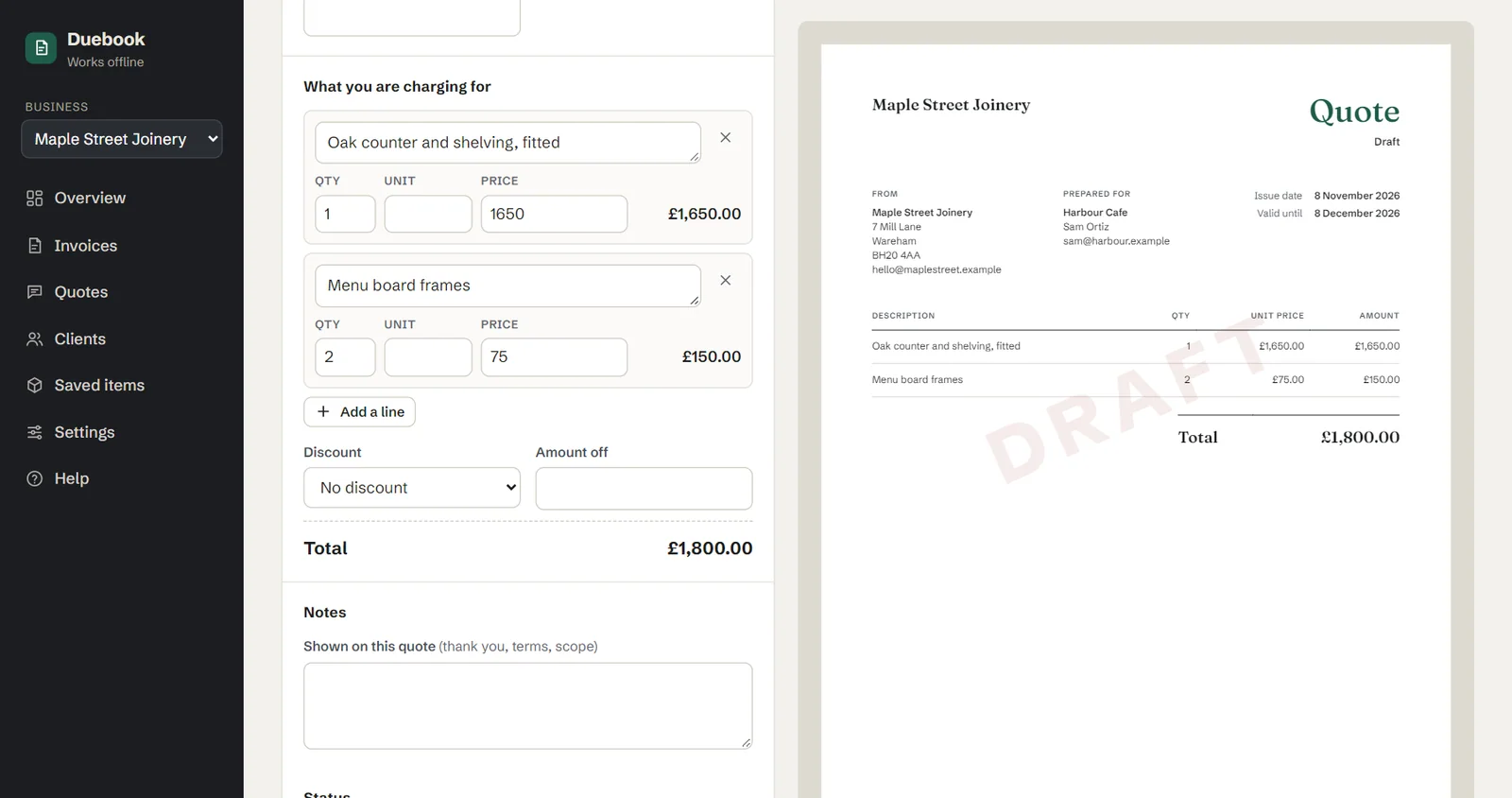
Write a quote
Add the client and the work, and the printed page on the right follows every keystroke.
-
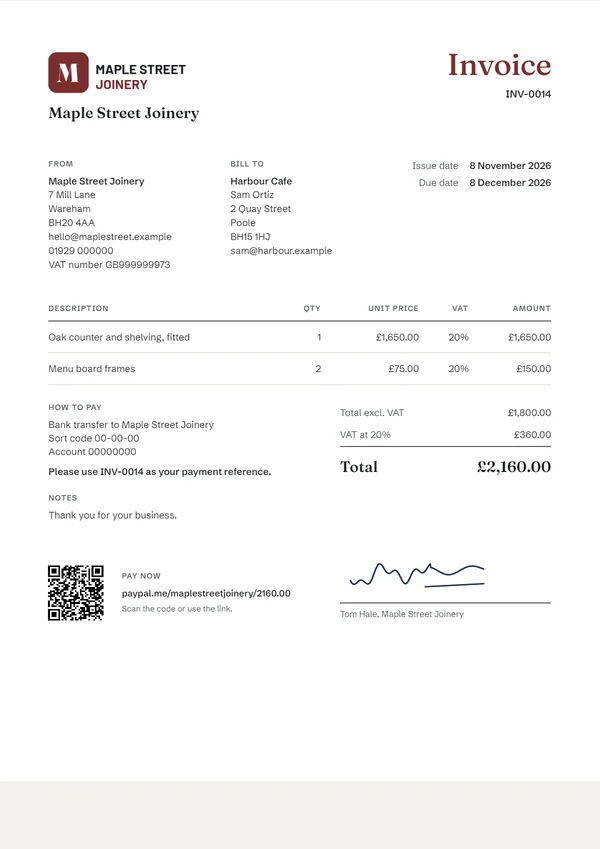
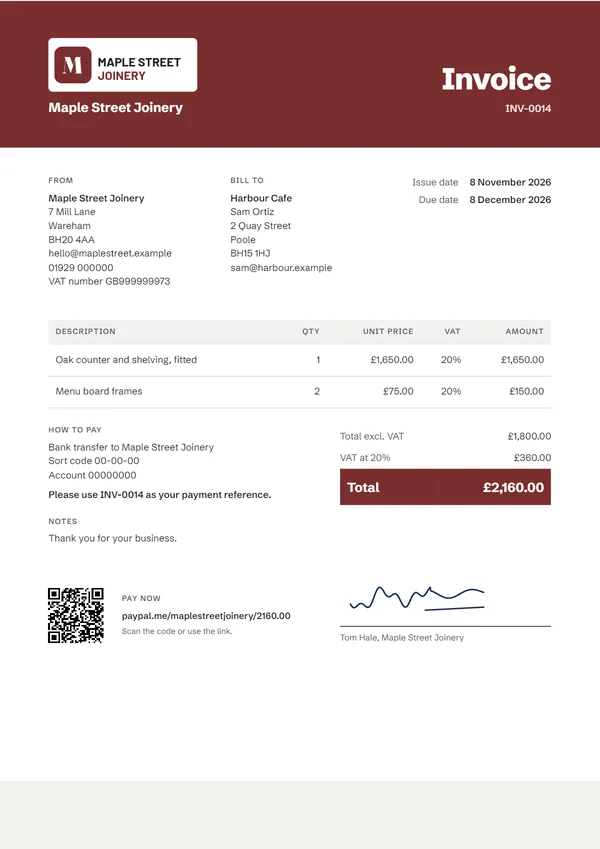
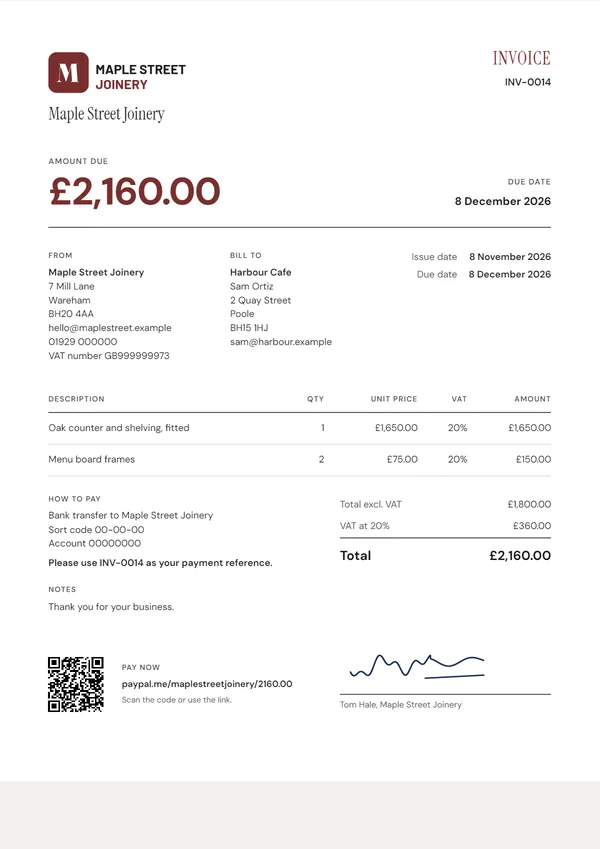
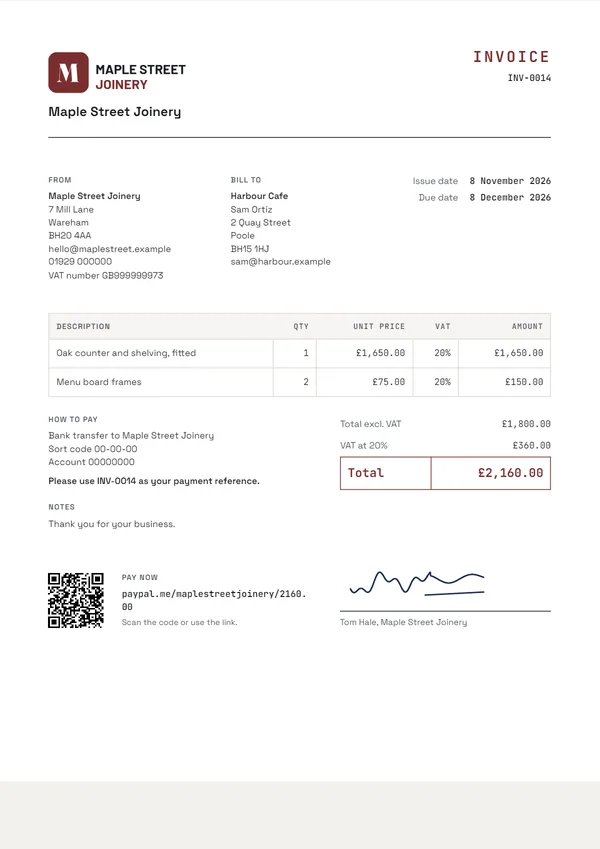
Four print designs
Classic, Modern, Bold and Ledger, in your colour, with six font pairs to choose from. Save as PDF through your browser.
-
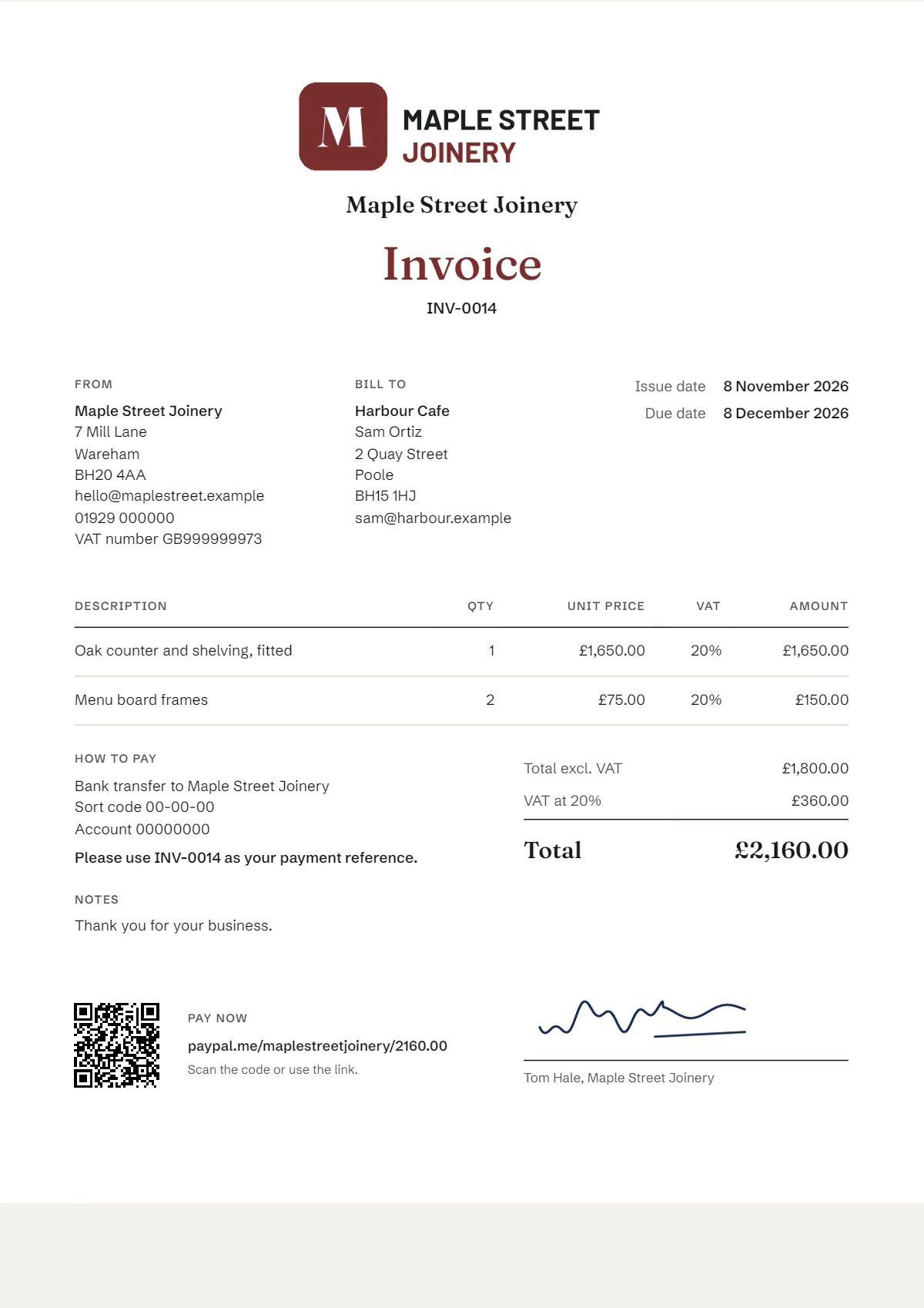
Logo, signature and Pay now
Your logo at the size and place you want, a signature, and your pay link printed as a short link and a QR code.
-
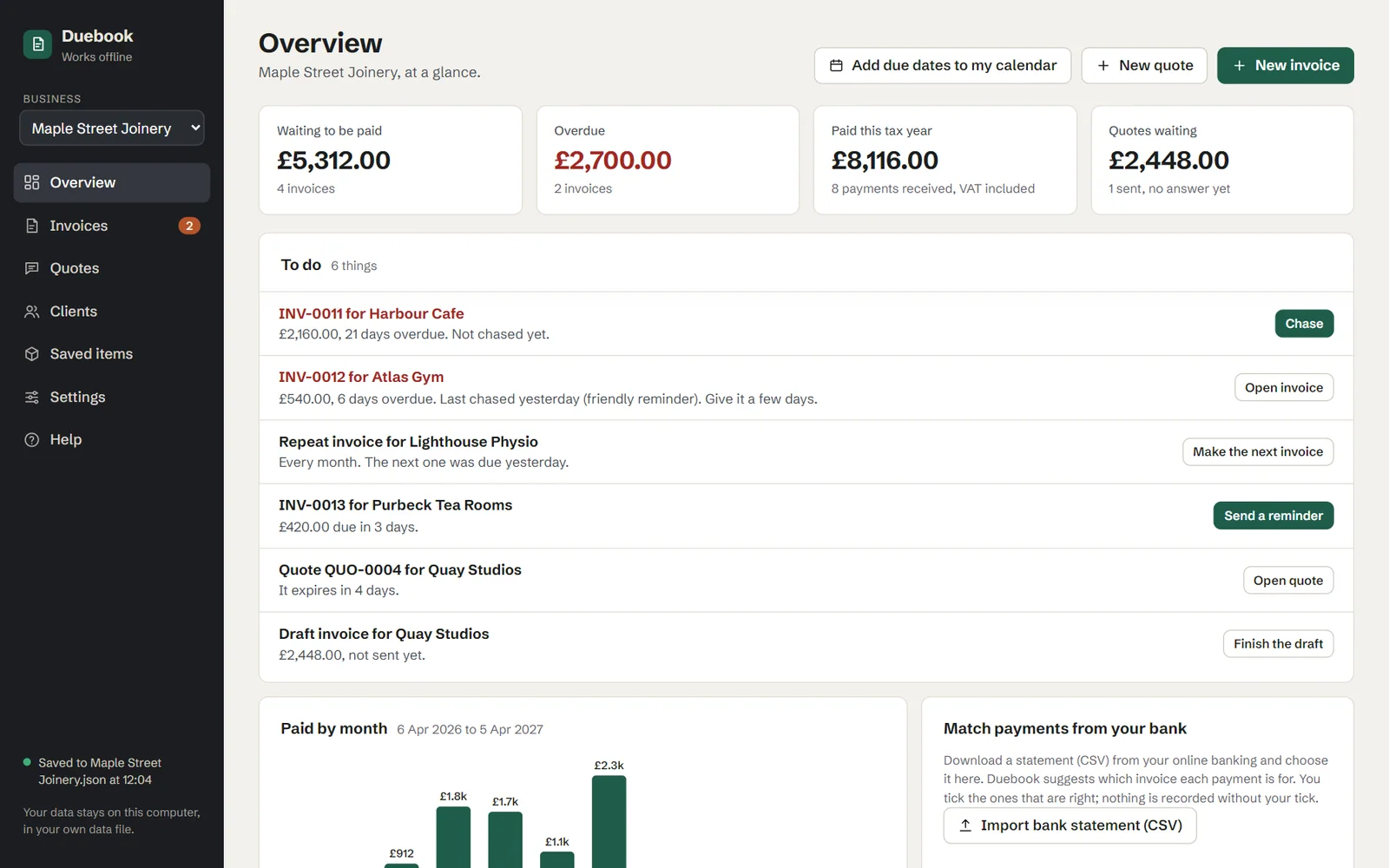
Your to-do list
The Overview lists what needs doing next: overdue invoices and when you last chased them, invoices due soon, quotes about to expire, repeating invoices and drafts.
-
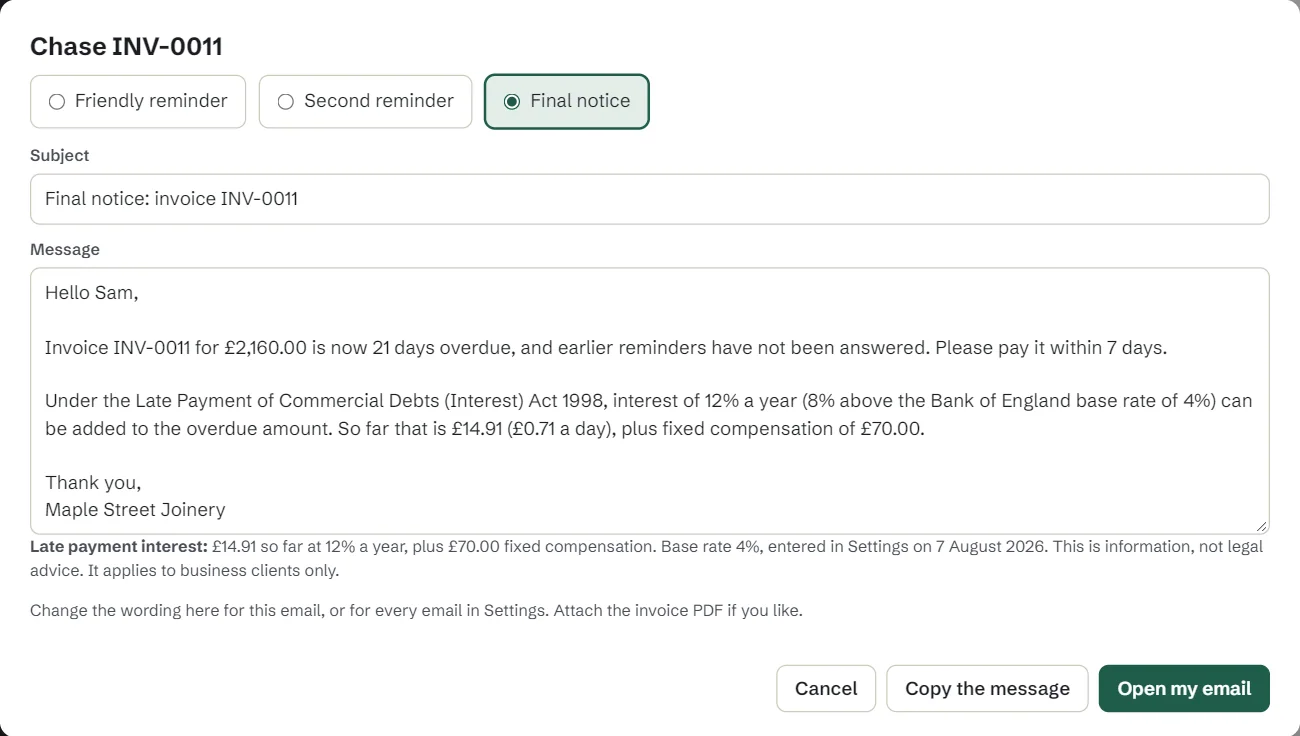
Chase late payers
A friendly reminder, a firmer one or a final notice, filled in for your email and recorded on the invoice. Final notices can add UK late payment interest for business clients.
-
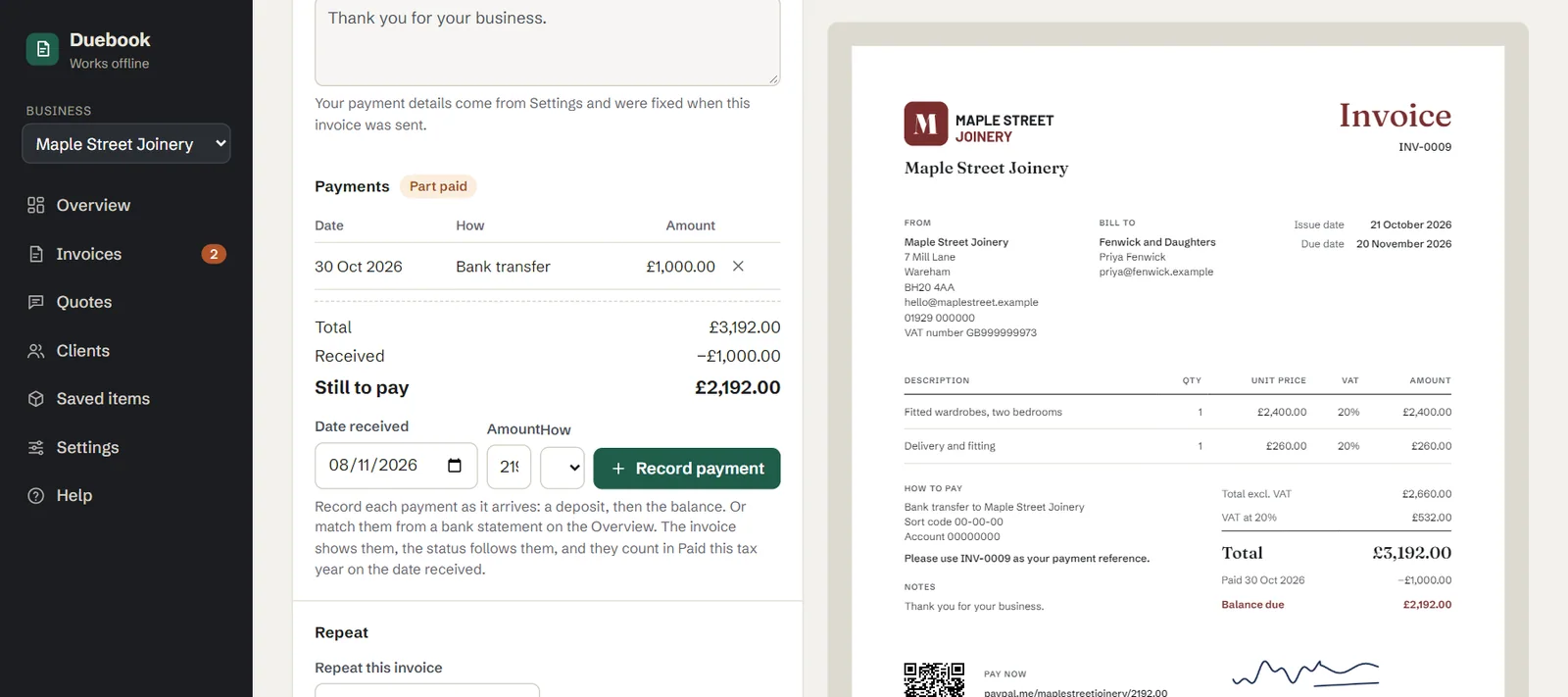
Record what comes in
Log a deposit and the balance as they arrive. Part paid, paid and overdue update themselves.
-
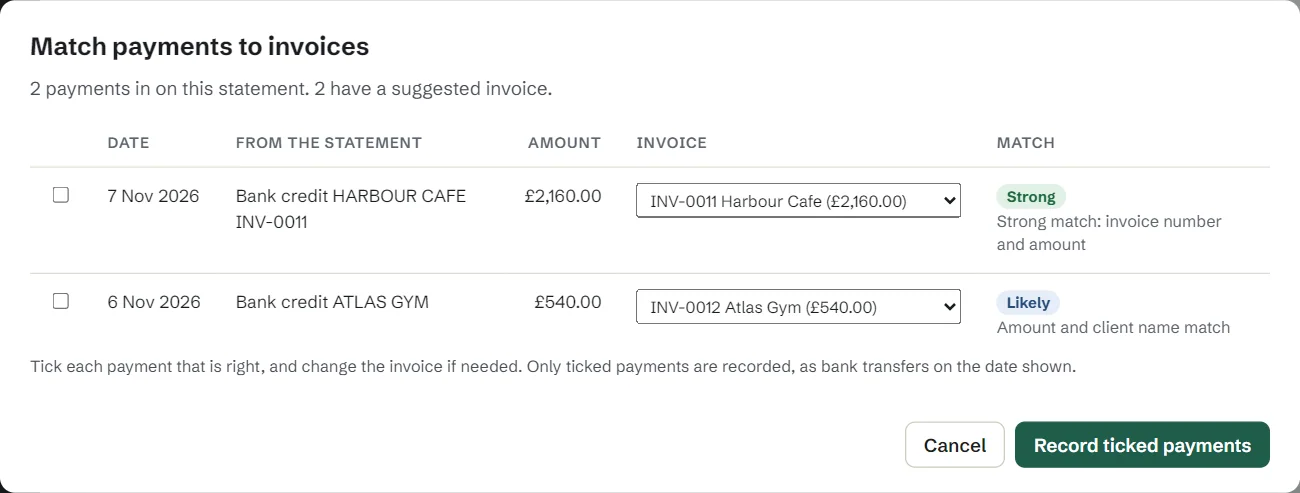
Match payments from your bank
Import the statement file from your online banking. Duebook suggests which invoice each payment is for, and records only the ones you tick.
-
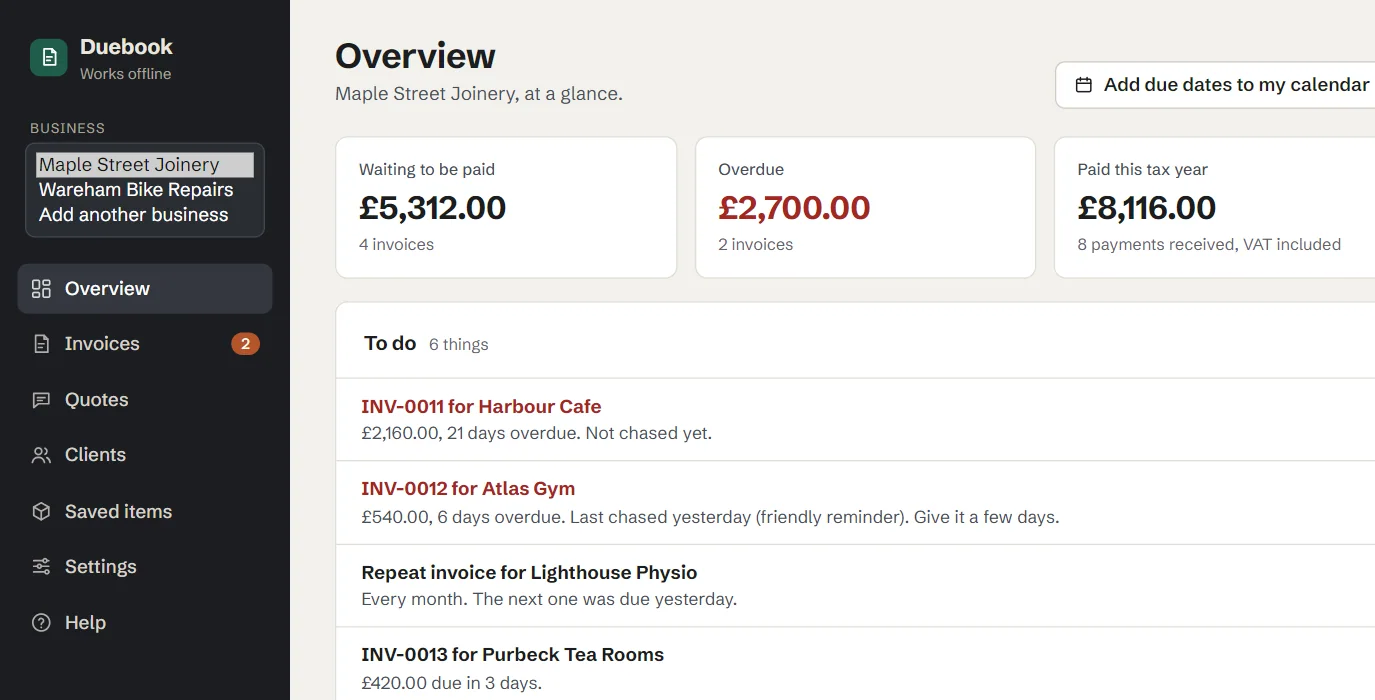
More than one business
Switch business from the top of the menu. Each one keeps its own details, logo, numbering, clients and documents, in the same data file.
-
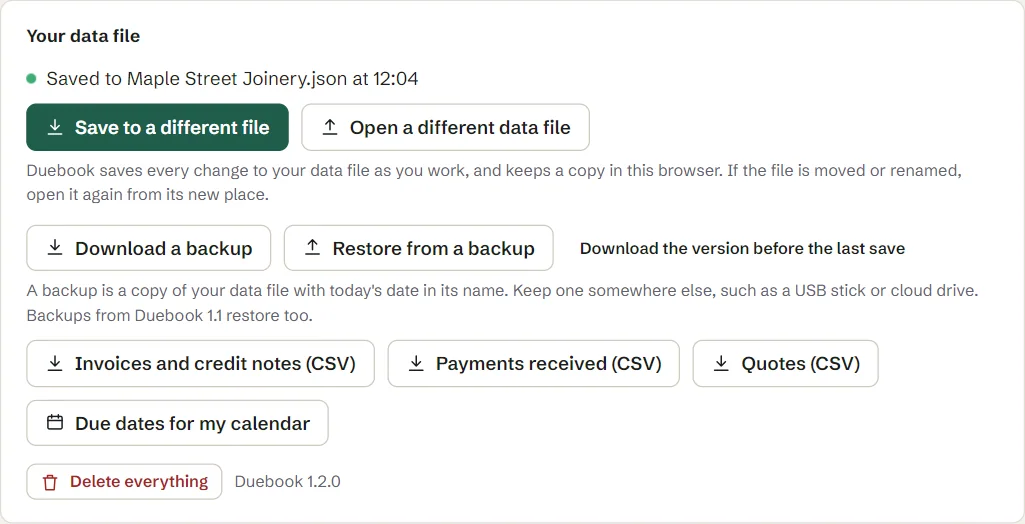
Your data file and backups
Duebook saves to your file as you work. Download a dated backup, or spreadsheets for your accountant, whenever you like.
Also in Duebook
- Saved as you go Chrome and Edge save every change straight into your data file. Firefox and Safari save it with one click, and a bar shows any unsaved changes.
- Repeating invoices Monthly, every 3 months or yearly. When the next one is due it waits on your to-do list as a ready draft.
- Due dates in your calendar Download a calendar file for Google, Outlook or Apple Calendar, and your phone reminds you. Exporting again updates the events.
- Your look Six font pairs, your logo at the size and place you want, and a signature with a name line.
- Credit notes Sent invoices are locked. Corrections are made with proper credit notes, with their own numbers.
- VAT done properly Only if you are registered: a rate per line, a VAT summary for each rate, and VAT in pounds on foreign-currency invoices.
- Any currency, your words Any common currency per invoice, and every word on the page can be changed, for example to invoice in French.
- For your accountant Spreadsheet exports of sent invoices, credit notes and payments received.
- One tab at a time Open Duebook in a second tab and that tab is read-only, so nothing is overwritten.
Who does what
What Duebook does for you
- Numbers every invoice, adds up the totals and works out the VAT
- Spots invoices that are overdue
- Keeps a to-do list of what needs doing
- Suggests which invoices your bank file shows as paid
- Saves everything to your file
What you do
- Send the email with the invoice
- Press Chase when a client is late (see our reminder email templates and late payment calculator)
- Download your bank statement
- Confirm the payment matches
It cannot send or chase by itself, connect to your bank, take card payments or file tax returns.
Free or full
Start with Duebook Lite. Move to Duebook when you want every invoice kept and tracked.
| Feature | LiteFree | Duebook£19 once |
|---|---|---|
| Invoices | One at a time | As many as you like, all kept |
| Saved in a file on your computer | Yes, its one invoice | Yes, everything |
| Quotes, turned into an invoice in one click | No | Yes |
| Numbered for you, with no gaps | No | Yes |
| Sent invoices locked, corrections by credit note | No | Yes |
| Client book and saved items | No | Yes |
| Payments and part payments | No | Yes |
| To-do list, Chase, bank file matching | No | Yes |
| Repeating invoices, calendar reminders | No | Yes |
| Paid, overdue and tax year at a glance | No | Yes |
| CSV exports for your accountant | No | Yes |
| Several businesses in one copy | No | Yes |
| Print designs | Classic | All four |
| Your colour, logo and font pair | Yes | Yes |
| Pay now link with QR code, signature | No | Yes |
| VAT, only if you are registered | Yes | Yes |
| Works offline, no account | Yes | Yes |
| Updates | Free | Free for life |
| Price | Free | £19 once |
| £19, plus VAT where your country charges it (UK total £22.80). Businesses with a VAT number pay £19. | ||
| Try Lite | Buy, £19 | |
Is it for you?
Who it suits
One person or a small studio sending a handful to a few dozen invoices a month: freelancers, sole traders, tradespeople, tutors and side businesses.
Not for
- Teams sharing one system
- Taking card payments
- Automatic bank feeds
- Making Tax Digital returns
Need a full system for a team? The free, open-source Invoice Ninja and Akaunting are on our list.
Honest notes
- Duebook is not accounting, tax or Making Tax Digital software. It makes and tracks invoices and quotes.
- Best in Chrome or Edge, where it saves to your file automatically. In Firefox and Safari you press Save.
- Your data stays on your computer and nothing is sent anywhere. Keep a backup of your file somewhere safe, such as your cloud drive.
- Made for a laptop or desktop. It opens on a phone, but it is cramped.
Licence: one person or one business, and the businesses that person or business runs, may use Duebook for those businesses' own invoices and quotes, commercial use included, on as many of their own computers as they like, and their own staff may use it.
Questions
Is it a subscription?
No. You pay £19 once, updates are free for life, and there is no account to make and nothing to renew.
Do I pay again for updates?
No. Every update is free for anyone who has bought Duebook. You download it from your Gumroad library, and your data file opens in the new version.
Why is it £22.80 at checkout?
Gumroad adds VAT where your country charges it, so a UK buyer pays £19 plus £3.80 VAT. Businesses with a VAT number pay £19.
Do I need to install anything?
No. Duebook is one HTML file. Double-click it and it opens in your web browser, with or without the internet.
Where are my invoices kept?
In a data file on your computer, in a folder you choose. Chrome and Edge save to it as you work; in Firefox and Safari you click Save to your computer. Copy that file to move or back up your work.
I use Duebook 1.1. Is my work safe?
Yes. Everything is still there when you open 1.2, and Duebook offers to move it into a data file. Backups from 1.1 restore as before.
Does it do UK VAT invoices?
Yes, if you are registered. A Duebook VAT invoice shows the fields HMRC asks for on a full VAT invoice, including a rate for each line and a VAT summary. Not registered? Setup asks first, and no VAT appears. Check with your accountant what your invoices must show.
How do clients pay me?
However you already take payment. Your bank details print on every invoice, and you can add a pay link from your own provider, such as PayPal.me or a Stripe payment link, which prints as a short link and a QR code. Duebook does not take card payments itself.
Can I run two businesses?
Yes. Each business has its own details, logo, colours, numbering, clients and documents, all in the same data file and the same backup.
What is the difference from Duebook Lite?
Lite makes one invoice at a time in the Classic design, and is free. Duebook keeps every invoice and quote, numbers them, tracks and chases payments, and has four designs.
What if it does not work on my computer?
Reply to your Gumroad receipt within 30 days and you get a full refund.
Made and sold by ForkFree. Duebook is not open source and is never ranked inside our lists of free tools.